FRAME 06 - EXHIBIT · LIGHTROOM CLASSIC PLUGIN
A portfolio site that looks designed. Not templated.
A Lightroom Classic plugin that publishes your galleries to a hosted portfolio site. Pick a style, publish, you're live - in minutes. No site builder, no re-uploading.
14-DAY FREE TRIAL · $69 A YEAR - UNDER $6 A MONTH · HOSTING INCLUDED · LESS THAN ONE PRINT ORDER
LIGHTROOM CLASSIC 6+ · MACOS & WINDOWS · HOSTED AT YOURNAME.KEPTFOLIO.COM
- Weddings24
- Editorial12
 1 NEW
1 NEW
1 PHOTO IN QUEUE
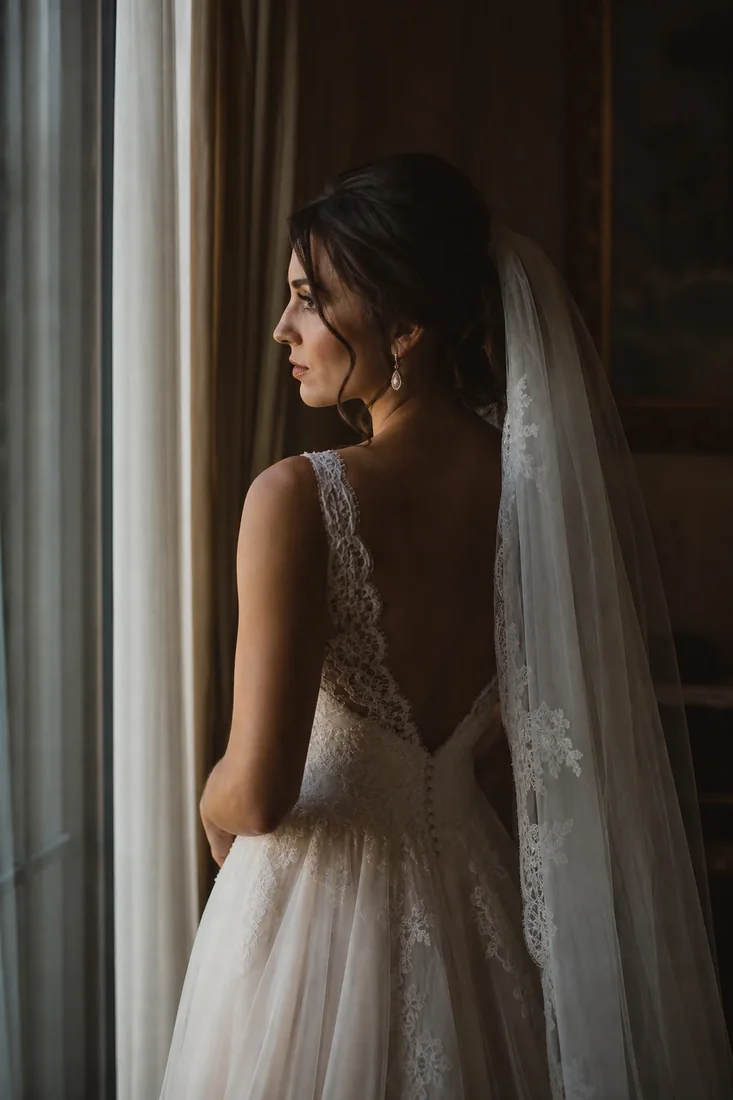

PICK A STYLE, HIT RE-PUBLISH - THE SITE CATCHES UPLIVE DEMO
SEE IT IN ACTION - THE REAL PLUGIN
From Lightroom to a designed
portfolio site.
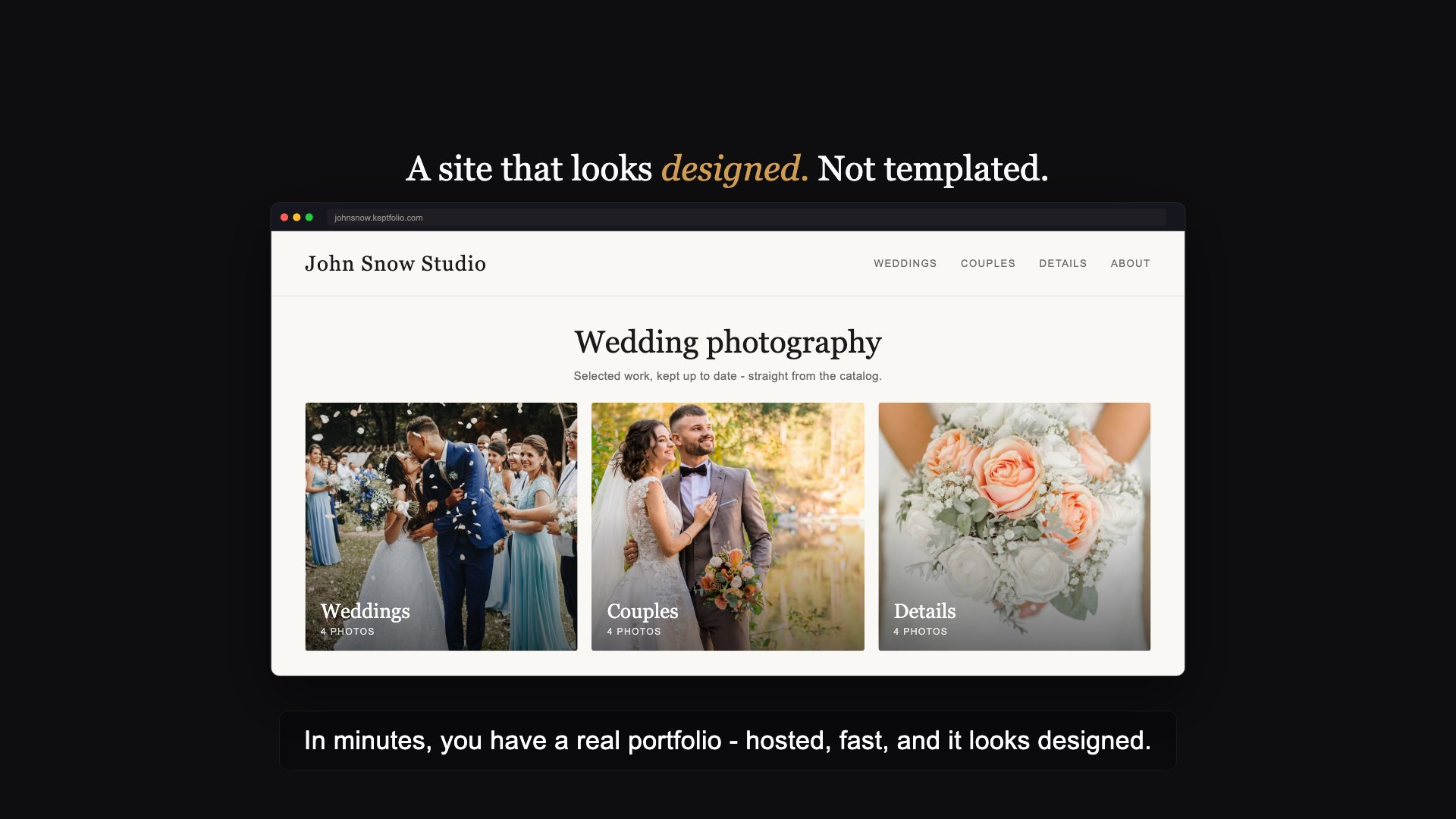
CLICK TO PLAY - WITH SOUND, CAPTIONS ON SCREEN
Read the transcript
The video is narrated, and the narration is also captioned on screen. This is the full spoken text:
- Your portfolio is always behind your best work.
- The usual fix means rebuilding the whole site by hand, every reshoot.
- Keptfolio turns your Lightroom catalog into a designed site. No builder.
- Set up once - claim your address, add your name, and you're ready to publish.
- Your galleries are just published collections, and each one becomes a page.
- Click Publish, and your whole site goes live at yourname dot keptfolio dot com.
- In minutes, you have a real portfolio - hosted, fast, and it looks designed.
- Pick a flagship design made for your kind of work, and switch anytime in your browser.
- Edit a photo in Lightroom, publish again, and the live site follows in seconds.
- Every gallery is one of three types, chosen in Lightroom - portfolio, review, or client download.
- Send one private link - your client swipes through the photos on their phone, keeping and rejecting, then one click pulls it all back into Lightroom.
- Client download galleries deliver the true full-resolution files behind a passphrase, then take themselves down after a window you pick.
- Your order and captions carry over, and hosting, updates, and support are handled.
- Get Keptfolio - your portfolio and your client galleries, all from Lightroom.
FEATURES - WHAT DEVELOPS
Built for photographers who'd rather
shoot than build a site.
Your catalog is your website.
You already sort your work into galleries in Lightroom. Keptfolio turns each published collection into a page on your site. There's no separate builder to learn - the way you organize in Lightroom is the way your site is built.
Publish, and you're live.
Click Publish and your photos go online at yourname.keptfolio.com. Edit a shot, reorder a gallery, change a caption, then publish again - the live site updates in seconds. Only the photos that changed get re-uploaded.
A design for your kind of work.
Pick from a library of art-directed templates - flagship designs for weddings, fashion, travel, food, family, architecture, fine-art, landscape, portrait, and street work, plus the originals. Each comes in five color schemes from light to dark, and a shelf of named color palettes works on any template. Set it all in your browser - switch anytime, no rebuilding, no re-uploading.
Your photos, front and center.
Every style is tuned so the work carries the page - a full-screen viewer, crisp galleries, restrained type. It looks right on a phone and a laptop, and stays fast on both.
Order and captions carry over.
The order you set by dragging in Lightroom is the order visitors see. Your titles and captions come across too - captions show in the full-screen viewer. Nothing to re-enter on a website.
Hosted for you. Nothing to run.
No server to manage, no hosting to set up, no updates to install. Your site lives on fast, global infrastructure and stays online. You just publish from Lightroom - the rest is handled.
Bring your hero to life.
Add a short looping video as your hero and it plays softly behind your cover photo on desktop - a quiet bit of motion the moment someone lands. On phones it settles back to the still image, so your site always loads fast.
Your home page, your call.
Decide what visitors see first: a full-screen cover, a split of your best image beside your name, a crossfading slideshow, or a clean opening with none. Show a "Kind words" section of client reviews and an About page, or leave them off. It's all a toggle in your browser.
UNDER THE SAFELIGHT - WHY IT'S DIFFERENT
Publish from Lightroom. Skip the site builder.
The usual way to get a portfolio online: export your edits, then rebuild the whole gallery by hand in a website builder. Drag every image into place. Re-type the captions. Do it again from scratch the next time you reshoot or reorder. Your Lightroom work and your website slowly drift apart.
Keptfolio starts from the galleries you already keep in Lightroom. Organize your collections the way you always do, click Publish, and they become a designed, hosted site. Change a photo in Lightroom, publish again, and the live site follows. One place to work. One click to update.
HOW IT WORKS - THREE STEPS
Three steps to
a live portfolio.
Organize
Group your photos into galleries in Lightroom, the way you already do. Each gallery becomes a page on your site.
Publish
Pick a style in your browser, add your name and a short about, then click Publish. Your site goes live at yourname.keptfolio.com.
Update
Edit, reorder, or add photos in Lightroom, then publish again. The live site follows in seconds - no rebuilding by hand.
AND YOU ALSO GET - SAME SUBSCRIPTION, NO EXTRA TIER
Your portfolio is the product.
These come with it.
Keptfolio's job is your portfolio. But between reshoots, the same galleries quietly handle the client work too - private proofing and full-resolution delivery, all from Lightroom, all included in the same subscription.
Private galleries for clients.
Every gallery is one of three types, chosen right in Lightroom: Portfolio - your public website; Review - a private rating link for choosing the keepers; Client download - full-resolution delivery. Review and download galleries live behind a private link and a passphrase you set in the same dialog - off your menu, off Google, just for the person you send them to.
They pick. Lightroom gets the stars.
Make a collection a Review gallery and send one private link - the couple, an art director, or a second shooter rates 1 to 5 stars, picks favorites, and leaves notes on every photo, no account needed. One click in Lightroom pulls their stars and picks back onto the photos in your catalog. The proofing set never shows on your public site.
Deliver the real files. The gallery cleans up after itself.
Set a gallery's type to Client download in Lightroom and publishing sends the true full-resolution JPEGs alongside the web copies. Your client gets a Download button on every photo and a Download all button that hands over the whole album as a ZIP. The gallery stays off your public site - you send the private link with the passphrase you set in Lightroom - and it takes itself down after a window you pick (3, 7, or 28 days), files and all. Publish again to re-deliver. One tool now does your portfolio and your client hand-offs - no Pixieset, no ShootProof, no extra fee.
FAQ - BEFORE YOU PUBLISH
Frequently asked
questions.
Which Lightroom and operating systems are supported?
Keptfolio works with Adobe Lightroom Classic (the desktop version) 6 and later, on both macOS and Windows. It is not compatible with the cloud-based "Lightroom" (formerly Lightroom CC). It is the portfolio pick in our roundup of the best Lightroom Classic plugins.
How is this different from Squarespace, Format, or Adobe Portfolio?
Those are site builders. The workflow is: export your edits, then build and arrange the site by hand in their editor - and redo it every time your photos change. Adobe Portfolio has no Lightroom Classic plugin at all.
Keptfolio builds the site straight from your Lightroom galleries. Publish and it's live. Re-publish and it updates. There's no separate builder to learn and nothing to keep in sync by hand.
Do I need to know how to build a website?
No. That's the whole point. If you can make a collection in Lightroom, you can publish a portfolio. Pick a style in your browser, fill in your name and a short about, and publish.
Can I use my own domain name?
Your site is hosted at yourname.keptfolio.com. Custom domains (yourname.com) are on the roadmap - tell us if you need one and it moves up the list.
Can I change the design later?
Yes, anytime. There's a library of art-directed templates - flagship designs for weddings, fashion, travel, food, family, architecture, fine-art, landscape, portrait, and street work, plus the originals - and each comes in five color schemes from light to dark. A shelf of named color palettes works on any template. Switching is one click in your browser and never re-uploads your photos; only the design changes.
Can I choose what my home page shows?
Yes. After you pick a template, you decide what your home page opens with: a full-screen cover photo, a split of your best image beside your name, a crossfading slideshow, or a clean start with no hero at all. You can also show a "Kind words" section of client reviews and an About page, or switch either off. It's all toggles in your browser - no template locks you in.
Can I add motion to my home page?
Yes. You can upload a short looping video (MP4, up to 10 MB) as your hero, and it plays subtly on desktop over your cover photo. On phones, or for visitors who prefer reduced motion, it quietly falls back to the still image, so your site stays fast and calm. Add or replace it anytime in your browser.
Can I share private galleries with clients?
Yes - two of the three gallery types are exactly that. Review and Client download galleries stay off your menu, home page, and search engines, and open only with the passphrase you set right in Lightroom when you pick the type (a friendly one is suggested for you). Your Portfolio galleries stay public - that is your website.
Can visitors download high-resolution photos?
Not from your portfolio - your public site is display-only, with no download buttons anywhere. Handing files to a client is its own gallery type: a Client download gallery delivers the true full-resolution JPEGs behind a private link and passphrase - see the next question.
Can I deliver the full-size photos to a client?
Yes. In Lightroom, set a gallery's Gallery type to Client download (right-click the collection, then Edit Collection). Publishing then sends the true full-resolution JPEGs - full quality, never watermarked - alongside the web copies. On the site your client gets a Download button on every photo and a Download all button that delivers the whole album as a ZIP (very large albums split into numbered parts automatically). It is all included in the plan - no extra tier, no per-delivery fee. Files are always JPEG, not RAW.
How long does a client download gallery stay up?
You pick the window - 3, 7, or 28 days (7 by default), counted from the moment your client first downloads. When it ends, the album leaves your site and its full-size files are deleted, and the link shows a tasteful "no longer available - contact the photographer" page. A gallery nobody ever downloads comes down 90 days after publishing, so nothing lingers. This self-cleaning is the point: your deliveries stay tidy and private, and full-size files never pile up. Need to send it again? Just publish the collection from Lightroom and it re-delivers with a fresh window. You can also end a delivery early with Expire now in the editor.
Are client download galleries private?
Yes. Download galleries are hidden from your public site - out of your menu, your home page, and search engines - and protected by the passphrase you set in Lightroom. You share the direct link yourself (there's a Copy client link button in the browser editor) along with the passphrase.
Is there a limit on how many photos I can deliver?
You can have up to 4,000 full-resolution photos live at once across all your download galleries - generous enough for several wedding deliveries running at the same time. It exists only to keep storage in check, not as a smaller "plan", and photos in expired galleries stop counting the moment they come down. If you ever need more, just contact us and we'll gladly raise it.
Can a client or an assistant help me pick the best photos?
Yes - make the collection a Review gallery in Lightroom and send its one private link with the passphrase. It opens straight onto a rating page: 1 to 5 stars, favorite Picks, and notes on every photo - right in their browser, no account needed, and their progress keeps as they go. When they submit, you run Fetch Review Ratings in Lightroom and their stars and picks land on the actual photos in your catalog. If several people review, none of them see each other's choices, and the proofing set never appears on your public portfolio.
How many photos can I publish?
Plenty. You can have up to 500 galleries on your site, and each gallery holds up to 2,000 photos - room for even a huge wedding without splitting it up. Individual images can be up to 30 MB. These are generous limits to keep everything running smoothly, not a smaller "plan" - if you ever need more for any reason, just contact us and we'll gladly raise them.
Will the price go up?
Keptfolio is $69 a year or $7 a month - the yearly plan works out to 2 months free. Both start with a 14-day free trial. If we ever change the price, we'll give notice, and any change applies to future renewals only - never to a period you've already paid for. You can cancel anytime.
What happens if I stop paying?
Nothing sudden. If your subscription lapses you get a 14-day grace period, then your site goes offline - not deleted. Your images are kept for another 30 days, so renewing brings everything back automatically. You can export or unpublish your work at any time, so you're never locked in.
Does it change my photos?
No. Nothing about your originals or your catalog changes. Keptfolio reads your galleries and publishes web-sized copies. Your master files stay in Lightroom, untouched.
Where do my photos live, and is my work private?
Your published, web-sized photos are hosted so visitors can see your site - that's what a portfolio is for. Your original files and your catalog never leave Lightroom, and location data (GPS) is stripped from every published image. See the Keptfolio Privacy Policy for details.
Is there a free trial?
Yes - every plan starts with a 14-day free trial. You enter your card at checkout, but nothing is charged for 14 days. Cancel before the trial ends and you pay nothing. After that you can cancel anytime and your work exports with you - nothing is locked in. Full terms on the Terms of Service page.
Still have a question? Email support@lightroom-tools.com or use the contact form - a real person reads every message and replies, usually within a day. Ask before you buy; we would rather answer than have you guess.
FROM THE JOURNAL
Deep dives for
Lightroom photographers.
THE PRINT - READY WHEN YOU ARE
Stop rebuilding your website
by hand.
Organize your galleries in Lightroom, pick a style, publish. You're live in minutes.
- 14-day free trial - cancel before day 14 and pay nothing
- Under $6/month billed yearly - hosting included, cheaper than most portfolio hosts
- No lock-in - export or unpublish anytime
LIGHTROOM CLASSIC ON MACOS OR WINDOWS · YOUR SITE HOSTED AT YOURNAME.KEPTFOLIO.COM